Showing posts with label photoshop. Show all posts

Sunday, March 10, 2013

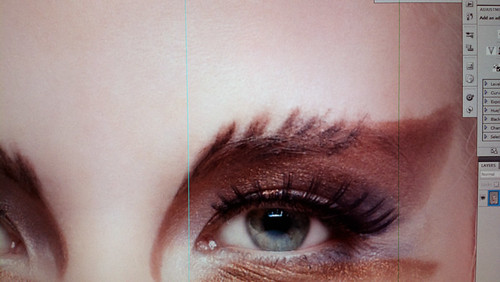
I can see green lines

I can see green lines
Left line is Photoshop guide and right line is my broken monitor or gfx card. Time to get new monitor :/
Monday, January 21, 2013

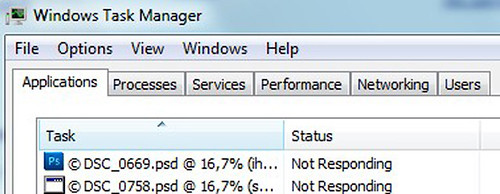
the ideal crash

Photoshop crash
Every time the Photoshop crashes some innocent pixels will perish

Friday, August 17, 2012

Bad color day

Color layers
Sometimes it feels like the whole color spectrum is against you. Two hours and about twenty layers later I decided that this particular photo works best as black & white.

Apparently it was right decision as the final photo was one of the model's & make-up artist's favorites from that shoot.

Saturday, June 9, 2012

Layer pizza

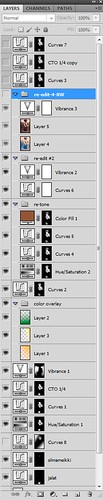
layerii Example of not that well organized layer structure. After finishing retouched image you don't always have time or energy to start reorganizing and renaming the layers. Putting them into groups, adding explanations or color codes describing what the layers are in image and deleting unneeded layers. Deleting duplicated base layers/merged layers and textures that are not used in final image can save lots of hard drive space. Keeping files tidy and compact will also make them faster to open & save. Saving time & hard drive space is saving money.
Poorly structured file can be called as layer pizza. Layer pizza = totally or semi-randomly lied out layer structure without proper layer names. Interpreting it later is like decoding DNA structure.

I have also heard stories that some people use Photoshop without layers...

Friday, December 23, 2011

Teaching again


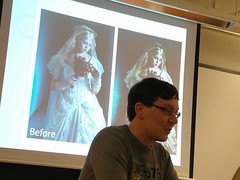
Teaching portrait photo editingYours truly, teaching portrait retouching basics about month ago. Non destructive image editing with layers was new to some listeners and I heard they updated image editing workflow after my presentation. When I teach Photoshop basics, I mention the layers, masks and blending modes to be the most fundamental tools with the software.
Problem with some Photoshop books are that they list everything you can do with software but don't focus on getting the workflow basics on the right track. But we all started from the zero, and first images were edited by running tens of silly filters to them. Oh those were the days.

It is amusing how much laughter you can generate in the audience by demonstrating liquify filter to create some photoshop disasters.

Photo: Lothar Mallon

Monday, December 12, 2011

Testing colors

Test file
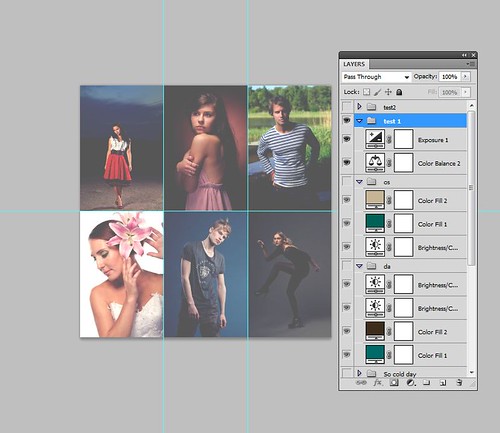
Lightroom is awesome for quick testing of color adjustments (split tones, faux cross process etc.). Doing same things in Photoshop is much slower while it provides more ways for fine tuning the results with masks, opacity changes and so on. I spent some time to make this 3x2 photos .PSD file for testing different color toning combinations and collecting different tweaks under one file. Each color/contrast change effect is organized as own layer group and file can be always updated by dragging/creating more layer groups to it. This was good sandbox approach to test new color tonings as the result can be seen immediately for 6 different images.

Tuesday, June 14, 2011

Masking & actions

maskit

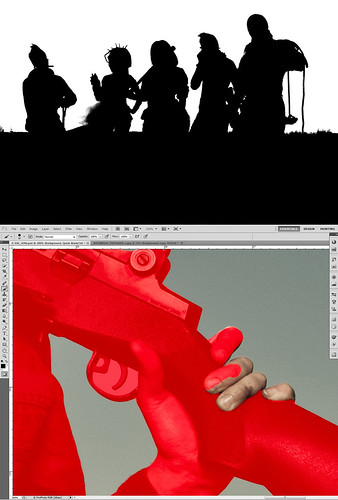
I read from somewhere that making a mask with Photoshop shouldn't take more than 20 minutes. I think that is big fat lie, even with CS5 and refine edge tool. Tai sit en vaan osaa.


Actions

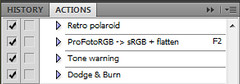
I have been also recording some Photoshop actions to speed up my workflow. If you need to do same thing for tens or hundreds of photos, it will be way faster to make those things with actions. Color space change & flatten layers action for saving the PSD as JPEG was so important I binded it under F2 key. Using the Photoshop might soon start to feel like playing FPS games where most of the keyboard keys are mapped to certain game commands :)